Website Analytics
In order to have a tracker, first it must be requested via SNOW Ticket: https://cern.service-now.com/service-portal?id=kb_article&n=KB0009092
Once a new tracker has been created, access the website mywebsite.web.cern.ch and go to the admin page, mywebsite.web.cern.ch/wp-admin.
Access the Plugin page, and Activate the "Connect Matomo", like shown below.
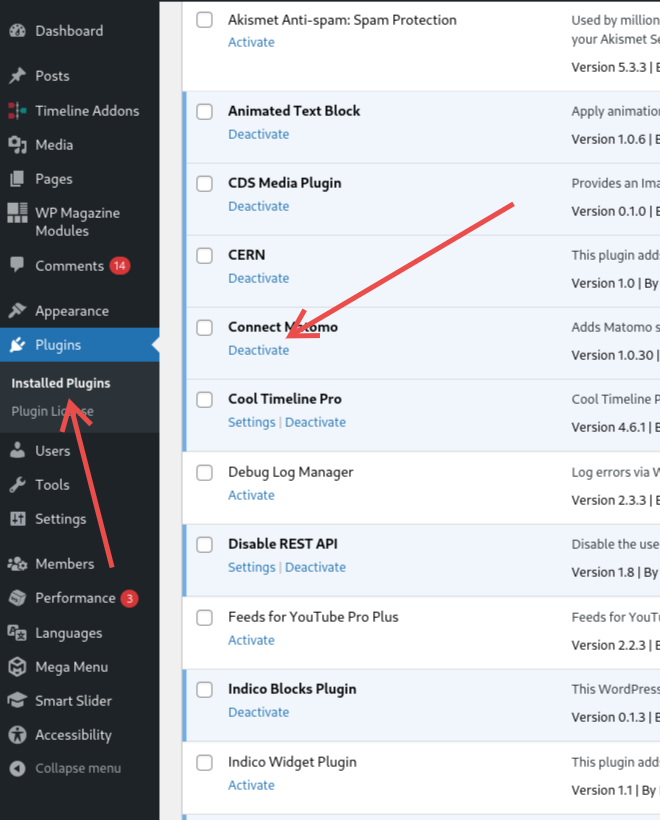
Once enabled, access the configuration page, as shown in the image below.
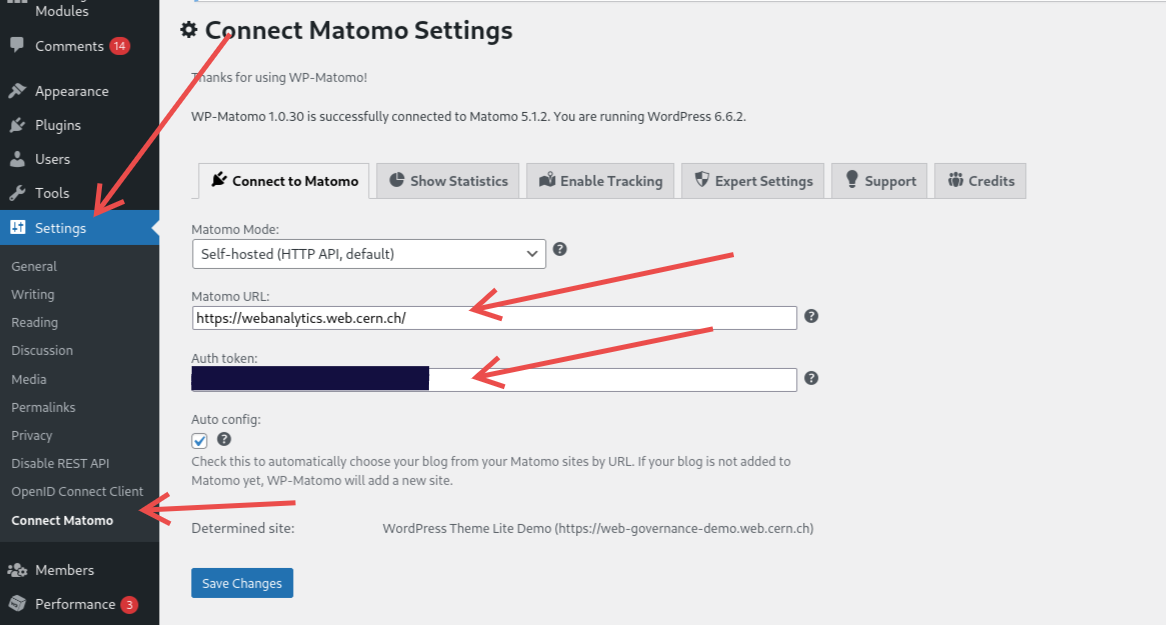
Set 'Matomo URL:' to https://webanalytics.web.cern.ch/.
The 'Auth token:' should be the one provided by the Matomo team.
Then simply save, now the analytics will be available both on webanalytics.web.cern.ch and on the website.